What's New
Learn how to implement what's new in your app
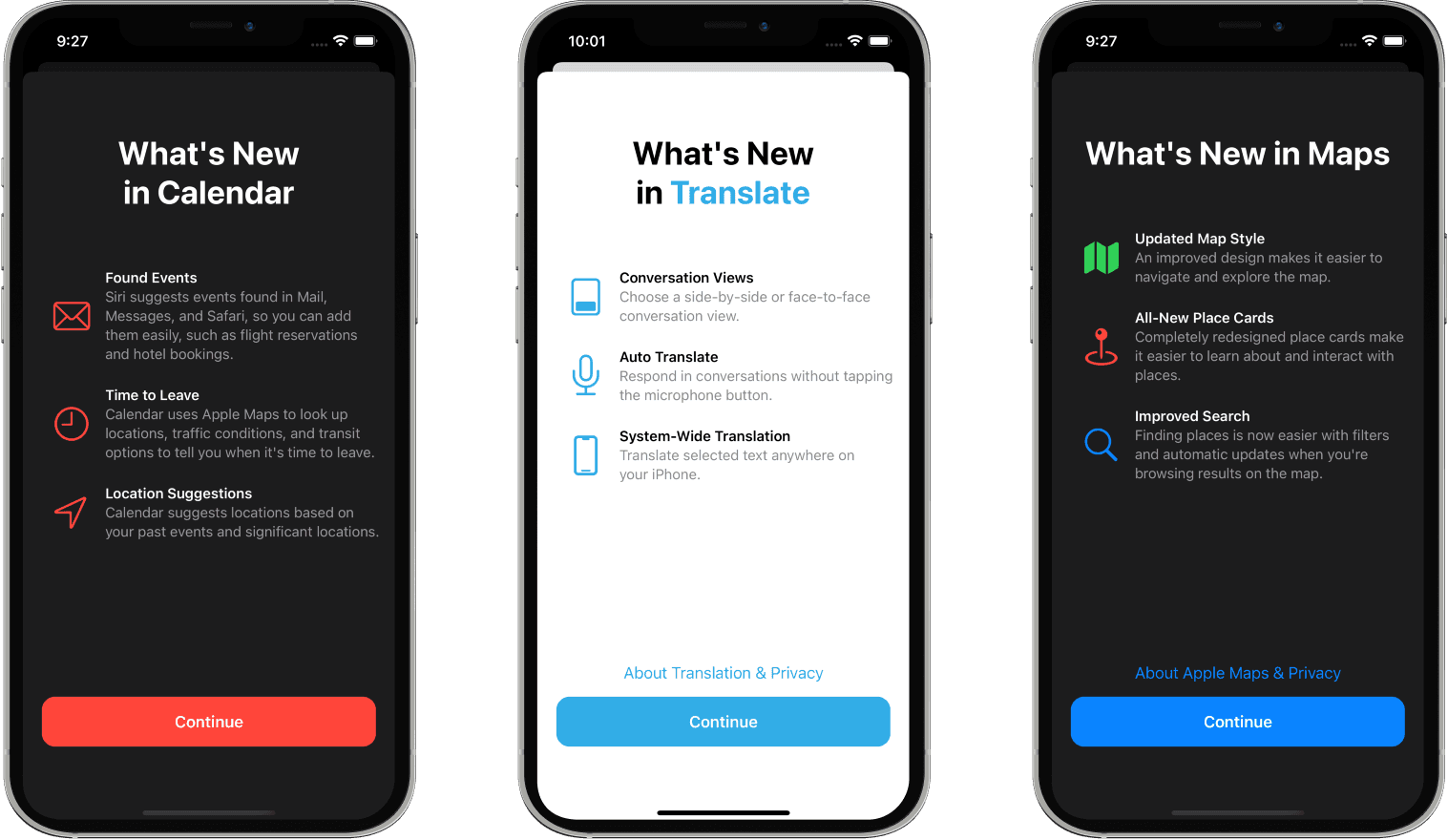
What's New Module
The WhatsNews module is implemented based on WhatsNewKit and is used to showcase new features and updates to users. When users update the app, it automatically displays the new feature introduction page for the corresponding version.
Why Do We Need WhatsNews Functionality?
1. Enhance User Experience
- Let users understand the latest features and improvements of the app
- Reduce user confusion about new features
- Increase usage and discovery rates of new features
2. Product Promotion Value
- Highlight core feature updates
- Enhance user perception of product iterations
- Improve user retention after app updates
3. User Education
- Guide users to use new features
- Explain interface changes and operation processes
- Reduce user learning costs
Core Features
- Automatic Display - Automatically determines whether to display based on app version
- Version Management - Intelligently records displayed versions to avoid repeated displays
- Flexible Configuration - Supports multi-version content configuration
- Beautiful Interface - Provides elegant native SwiftUI interface
- Rich Interactions - Supports primary and secondary action buttons
Integration Implementation
1. Environment Configuration
Configure WhatsNew environment in the main view:
struct ContentView: View {
    var body: some View {
        MainView()
            .environment(
                \.whatsNew,
                .init(
                    versionStore: UserDefaultsWhatsNewVersionStore(),
                    whatsNewCollection: self
                )
            )
    }
}
2. Content Configuration
Implement the WhatsNewCollectionProvider protocol to define new feature content for each version:
extension ContentView: WhatsNewCollectionProvider {
    var whatsNewCollection: WhatsNewCollection {
        // Current version's new features
        WhatsNew(
            version: .current(),
            title: "Welcome to the New Version",
            features: [
                .init(
                    image: .init(
                        systemName: "apps.iphone",
                        foregroundColor: .black
                    ),
                    title: "New Interface Design",
                    subtitle: "We've redesigned the app interface to bring better user experience"
                )
            ],
            primaryAction: .init(
                title: "Get Started",
                hapticFeedback: .notification(.success)
            ),
            secondaryAction: WhatsNew.SecondaryAction(
                title: "Learn More",
                foregroundColor: .accentColor,
                hapticFeedback: .selection,
                action: .openURL(
                    .init(string: "https://example.com")
                )
            )
        )

        // Historical version configuration
        WhatsNew(
            version: "1.0.0",
            title: "Welcome to the App",
            features: [
                .init(
                    image: .init(
                        systemName: "newspaper",
                        foregroundColor: .black
                    ),
                    title: "Core Features Launch",
                    subtitle: "The app's basic features are ready"
                )
            ],
            primaryAction: .init(
                title: "Start Exploring",
                hapticFeedback: .notification(.success)
            )
        )
    }
}
Feature Configuration Details
Version Management
- Auto Version - Use
.current()to get the current app version - Specified Version - Manually specify version number like
"1.0.0" - Version Storage - Use
UserDefaultsWhatsNewVersionStoreto record displayed versions
Content Elements
Title
title: "App Update"Features
.init(
    image: .init(systemName: "star.fill", foregroundColor: .orange),
    title: "New Feature Title",
    subtitle: "Feature detailed description"
)
Primary Action
primaryAction: .init(
    title: "Continue",
    backgroundColor: .accentColor,
    foregroundColor: .white,
    hapticFeedback: .notification(.success)
)
Secondary Action
secondaryAction: WhatsNew.SecondaryAction(
    title: "Learn More",
    action: .openURL(.init(string: "https://example.com"))
)
Display Logic
- App Launch - Automatically check if the current version has displayed the new features page
- Version Comparison - Compare with stored displayed versions
- Content Display - If it's a new version, automatically pop up new feature introduction
- Status Recording - Automatically record that the version has been displayed after user views
Customization Options
Storage Methods
// Local storage (default)
UserDefaultsWhatsNewVersionStore()

// iCloud sync storage
NSUbiquitousKeyValueWhatsNewVersionStore()

// In-memory storage (for testing)
InMemoryWhatsNewVersionStore()
Layout Customization
.environment(
    \.whatsNew,
    .init(
        defaultLayout: WhatsNew.Layout(
            showsScrollViewIndicators: true,
            featureListSpacing: 35,
            contentPadding: EdgeInsets(top: 20, leading: 16, bottom: 20, trailing: 16)
        ),
        versionStore: UserDefaultsWhatsNewVersionStore(),
        whatsNewCollection: self
    )
)
Best Practices
1. Content Strategy
- Highlight the most important 3-5 new features
- Use concise and clear descriptive text
- Pair with meaningful icons or illustrations
2. Version Planning
- Major version updates must configure new feature pages
- Minor version updates can be optionally configured
- Maintain completeness of historical version configurations
3. User Experience
- Provide skip or quick browse options
- Avoid overly frequent new feature prompts
- Ensure accuracy of new feature introductions
Through the WhatsNews module, you can easily add professional version update introduction functionality to your app, enhancing user experience and product value perception.
Last updated on